
Learn Organise chats
Contact profiles and deal values
Keep customer details, products of interest and the value of each deal on the contact.
Every chat in WaBaCRM has a contact profile. Open a chat; the WaBaCRM side panel on the right shows the profile on its first tab.
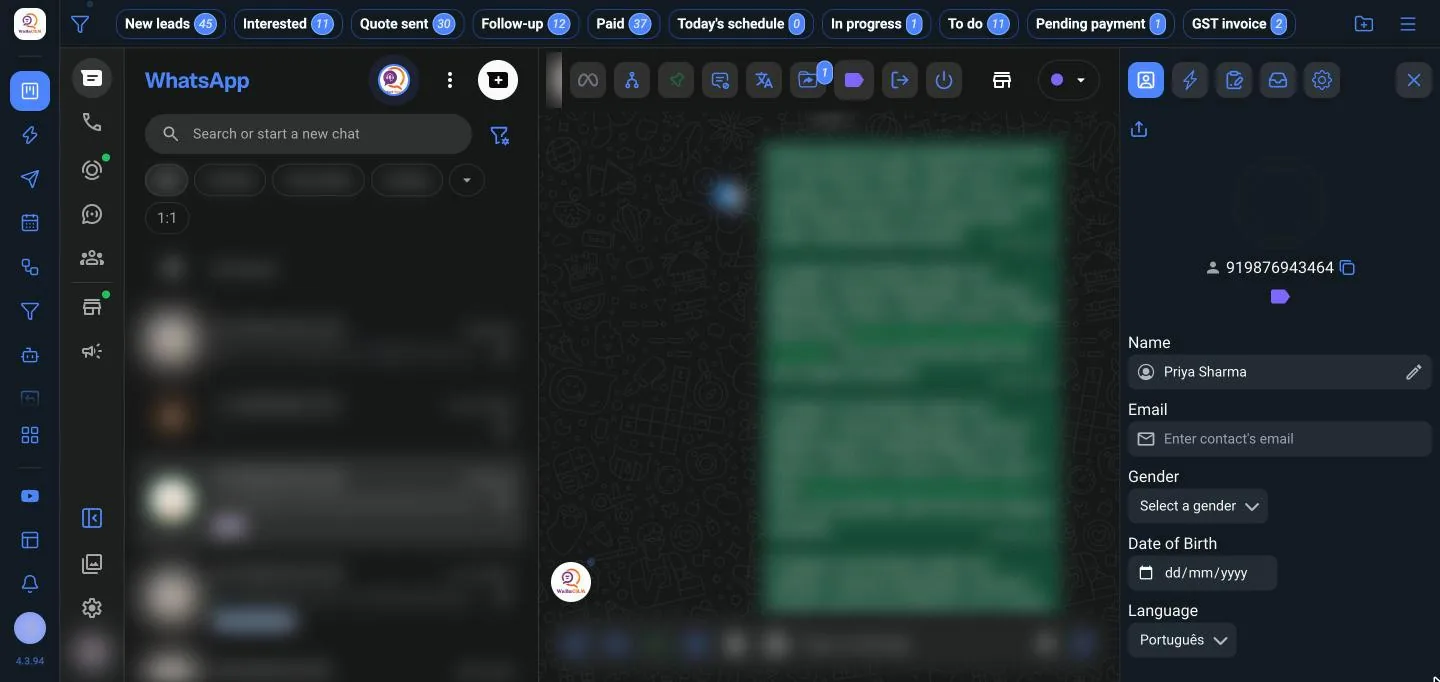
What you can save
- Name, gender and Date of Birth
- Email, country, state and city
- Company and job title
- Lead's Origin: where the lead came from, such as an Instagram ad, website or referral
- Entry Date and Exit Date
- Products of Interest
- Comments
Click Save Contact when you're done.
Deal values
Add a Business Value for what you're negotiating with the contact. Each value has a date and time, so you can add several over time. The sales funnel adds these up per tab.
Use the details elsewhere
- Bulk sending can filter by Month's birthdays, gender, city, state, lead source, company and dates. See bulk sending.
- Export Contact Profiles downloads every profile as an Excel file.
Saving contacts to your phone
Save Contact Name saves a contact's name to WhatsApp. Switch on Save contacts automatically to save new chats as they arrive. Sync with Google Contacts also adds them to your Google account.