A pipeline on top of WhatsApp
Your sales stages become tabs across WhatsApp Web, with a live count on each. Drag a chat from New lead to Paid.
CRM guide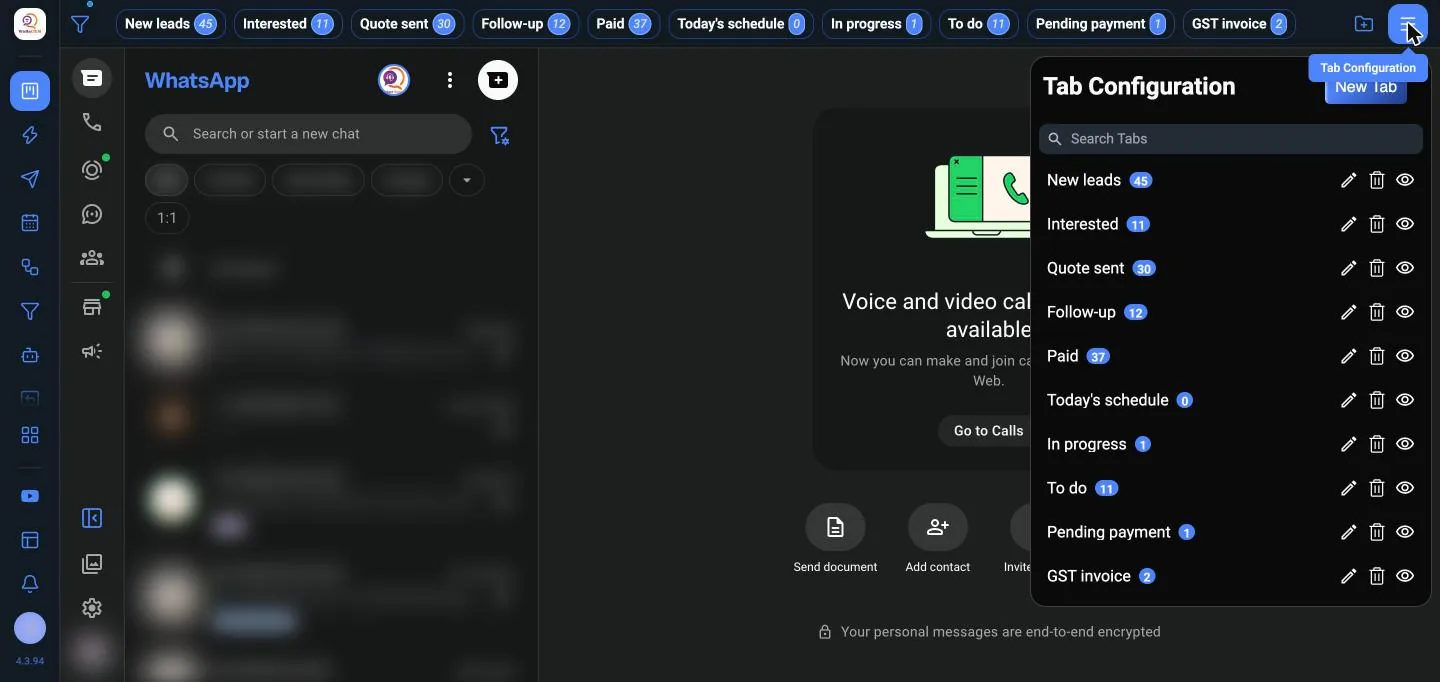

WaBaCRM turns WhatsApp Web into a sales machine: a pipeline for every chat, campaigns from your own number, and automations that answer while you sleep.
23 step-by-step guides
3 languages in the extension
₹ $ € deal values and reports
1–5 logins per plan
Real screens from WaBaCRM. Customer chats are blurred and names replaced with samples.
Your sales stages become tabs across WhatsApp Web, with a live count on each. Drag a chat from New lead to Paid.
CRM guidePick contacts by label, CRM tab, group or spreadsheet. Safe pacing and a full report.
Bulk sending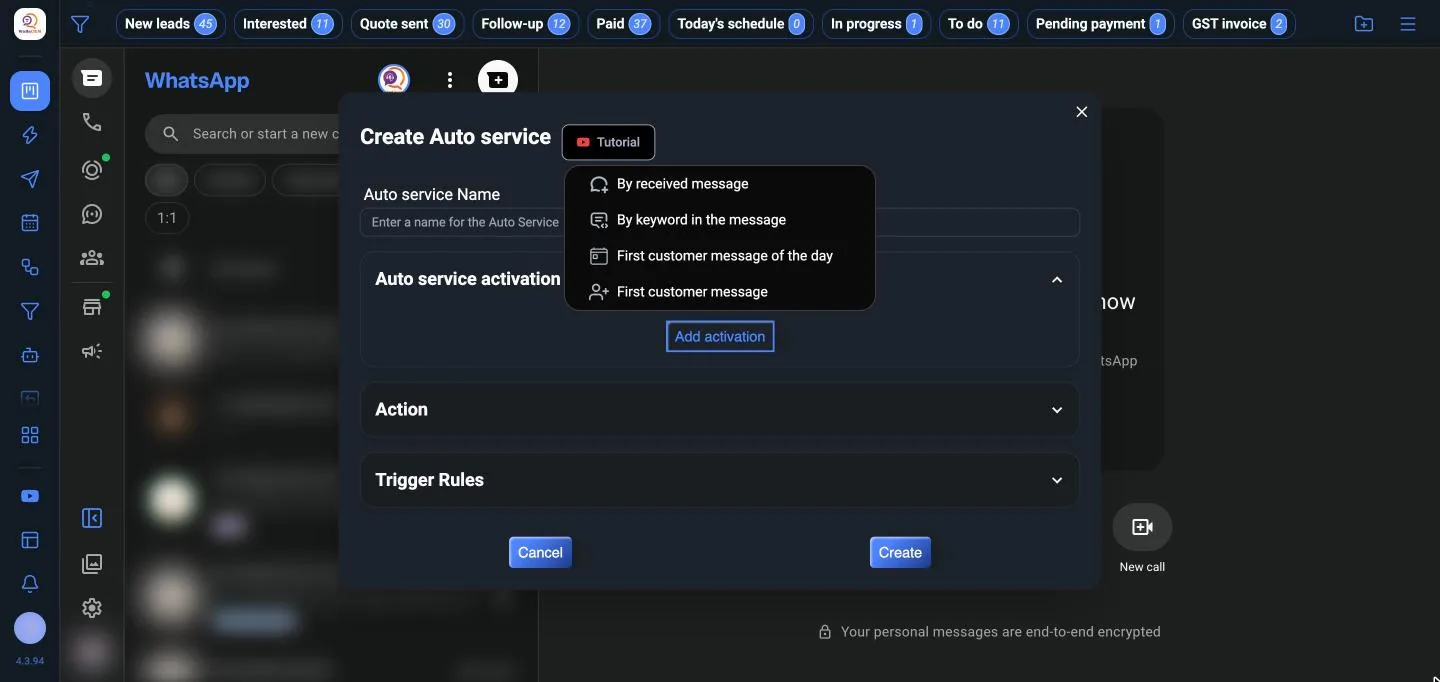
Fire when a contact enters or leaves a tab, or after a set time.
Follow-ups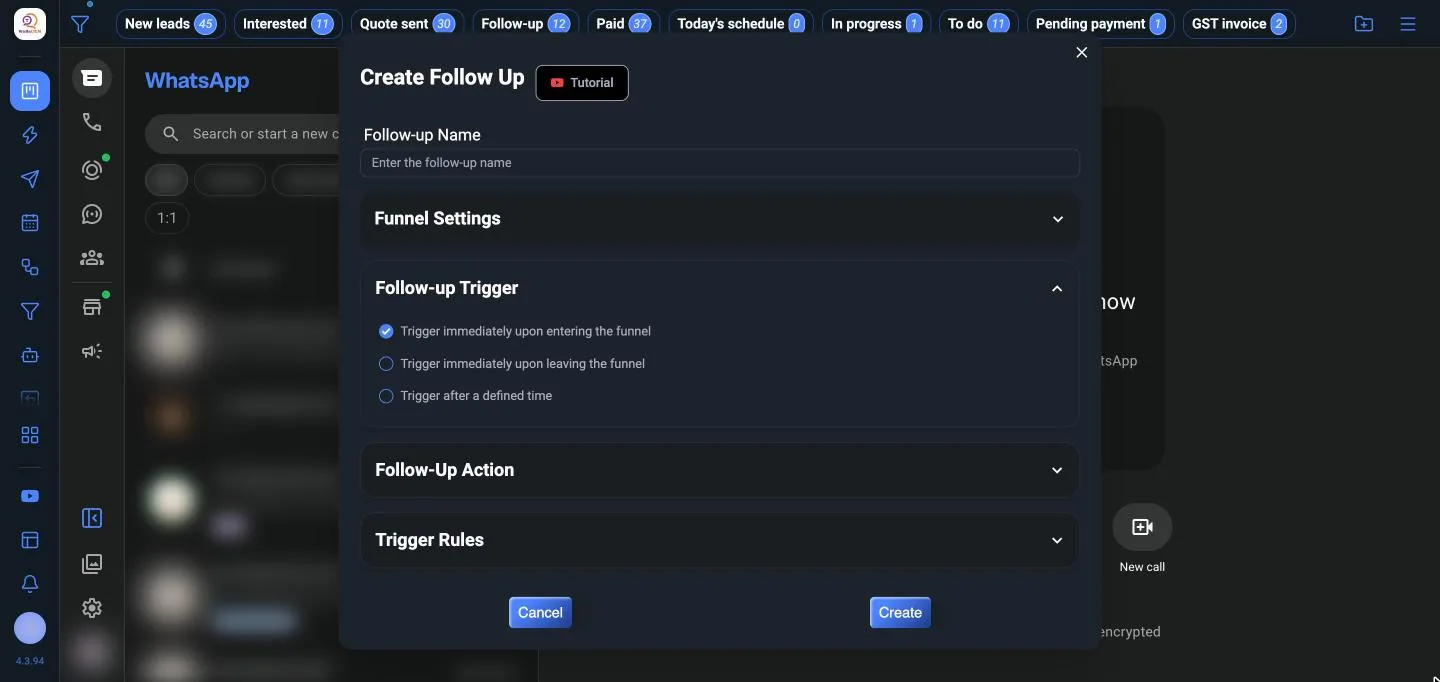
Drag-and-drop menus, questions and hand-over to a person, tested in a built-in simulator.
Chatbot builderSend order updates and reminders from your shop or CRM through your own number.
API guidePOST /api/send-text/wat_… { "phone": "919876543210", "message": "Your order #1024 has shipped" } → 200 { "success": true }
Webhooks to Sheets, HubSpot or Pipedrive, plus a WhatsApp API for your own software.
Integrations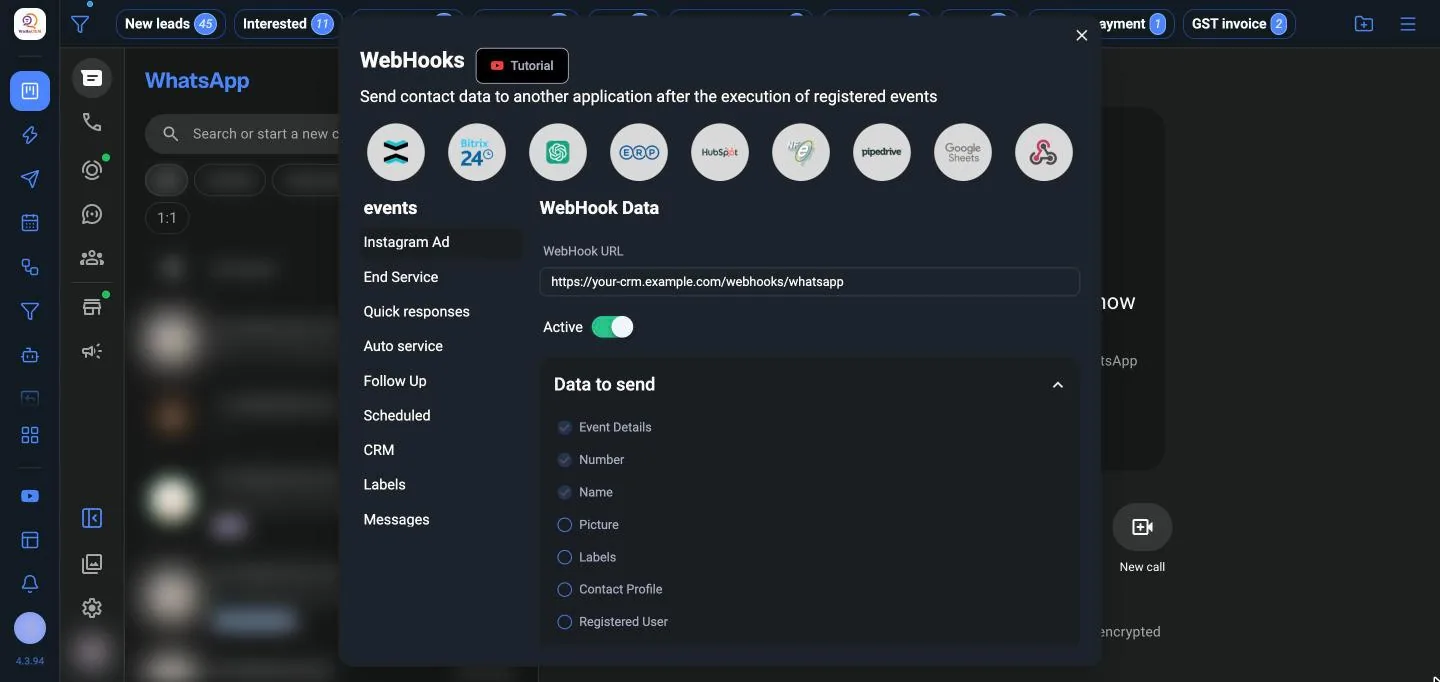
Every chat lands on your board with a contact profile, lead source and deal value.
Campaigns, scheduled messages and quick replies keep every lead warm.
Bots and auto replies answer instantly; follow-ups chase the quiet ones.
See revenue per stage in the sales funnel, and hand chats to teammates.
Tap through the real screens. Click any screen to see it full size.
Your sales stages as tabs across the top of WhatsApp Web, with a chat count on each.
37 features in 8 groups, all in every plan. Pick a group to explore it.
Turn chats into a pipeline you can see.
Reach every customer, safely, from your own number.
Answer the same questions in one click.
Send at the right time, every time.
Replies and follow-ups that run themselves.
Share the work and let AI help write.
Connect WhatsApp to the rest of your business.
The small things you use every day.
Every plan has every feature. A login is one licence for one WhatsApp account, for a year.
₹2,499/ year
One WhatsApp account
For one person running their own WhatsApp.
Choose single login₹4,599/ year
Save ₹399 against two single logins
Two WhatsApp accounts, such as sales and support.
Choose two logins₹9,999/ year
Save ₹2,496 against five single logins
A team, with chats handed between agents.
Choose five loginsTry everything free for 3 days first. Pay by UPI from your account. Already a customer? Log in to renew.
Buy licences at partner prices, create them for your customers from a reseller panel, and put your own brand on the extension.
No. WaBaCRM runs inside WhatsApp Web, so campaigns, schedules and automations only run while Chrome is open with WhatsApp Web loaded. Keep that tab open on a computer that stays on.
Both. It uses the account you link to WhatsApp Web. Labels are a WhatsApp Business feature; on normal WhatsApp you organise chats with WaBaCRM's own tabs.
No. WaBaCRM works through WhatsApp Web, so there is no Meta approval and no per-message charge. If you need the official Cloud API, the extension's Official API button opens MeAPI. WaBaCRM is not affiliated with WhatsApp or Meta.
WhatsApp can restrict numbers that send unwanted messages. Message people who know you, keep the gap between contacts and the automatic pauses switched on, and start with small lists. The bulk sending guide has safe settings.
Your CRM boards, quick replies and settings are stored in your Chrome profile on your computer. Take regular backups from Settings, and turn on automatic backup.
Each licence has a device limit. Logging in on another device past that limit shows "Device limit reached". Log out on the old device first, or buy another login.
Log in to your account at login.waba-crm.com, open My Licenses and buy a renewal. My Payments shows each payment's status and your new end date once it is approved.
Yes. See the reseller plans, or sign up as a reseller.
Buy only from waba-crm.com. Cracked and resold copies don't get updates or support, and can expose your WhatsApp. Official sales: +91 91676 96213.