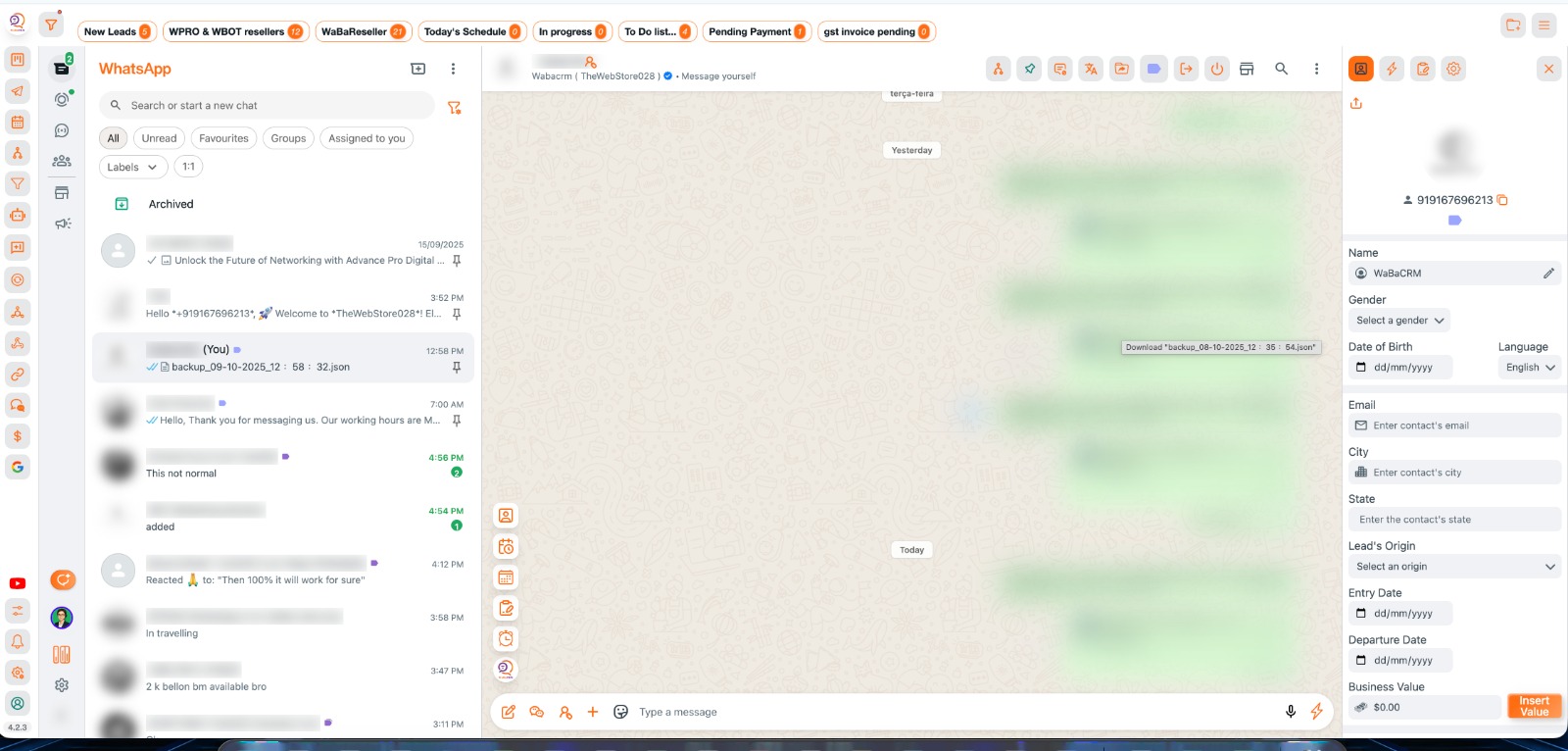
Step-by-Step Installation & License creation Guide
Follow these 9 simple steps to get WaBaCRM running on your system
1
Download Extension & Tutorial
Download the WaBaCRM extension and watch the setup guide
Download the WaBaCRM.zip file from above download Button
Extract the zip file to a permanent location on your computer
Important: Keep the folder in a fixed location (like Desktop/WaBaCRM) to avoid future errors
2
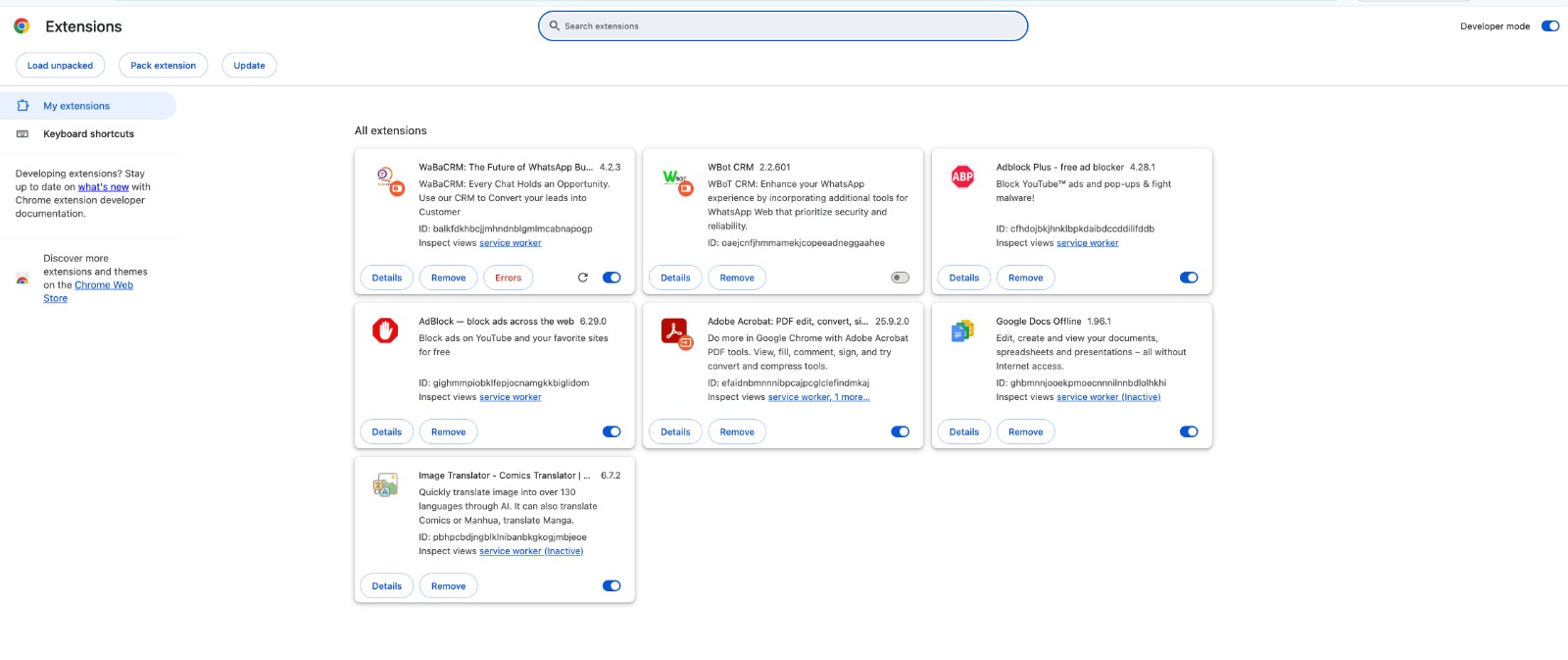
Enable Developer Mode
Activate Chrome's developer mode for extension installation
Open Google Chrome browser
Toggle "Developer mode" ON (top-right corner)
3
Load Extension
Install WaBaCRM extension in Chrome
Click the "Load unpacked" button
Extension successfully loaded when you see WaBaCRM icon in toolbar
4
Account Registration & Setup
Create your login credentials and watch registration tutorial
Sign Up to https://user.xxyz.be/signup.php with your Full name, Email address and WhatsApp Number.
Make sure you add correct Email Id as login password will be sent to your email id only.
Check your email, and sign in with your credentials at https://user.xxyz.be/login.php.
5
Dashboard & License Management
Manage your licenses from the dashboard
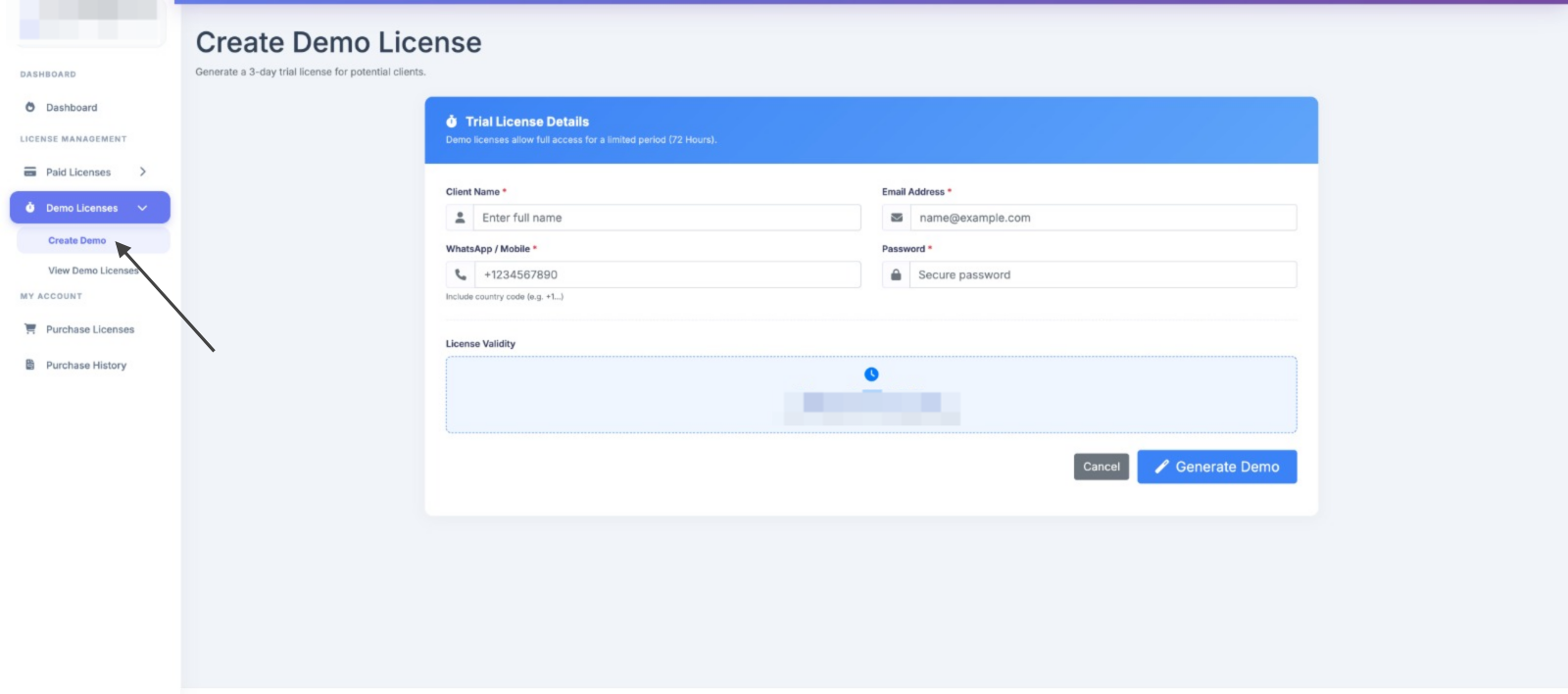
You will see Dashboard, This is your complete Dashboard to Create Demo & Paid License and manage it.
Go to Demo License, Create Demo License.
If you want take demo Follow Step 8 ( Activate Your Extension ) & Activate demo License.
6
Purchase Paid License
Upgrade to premium features
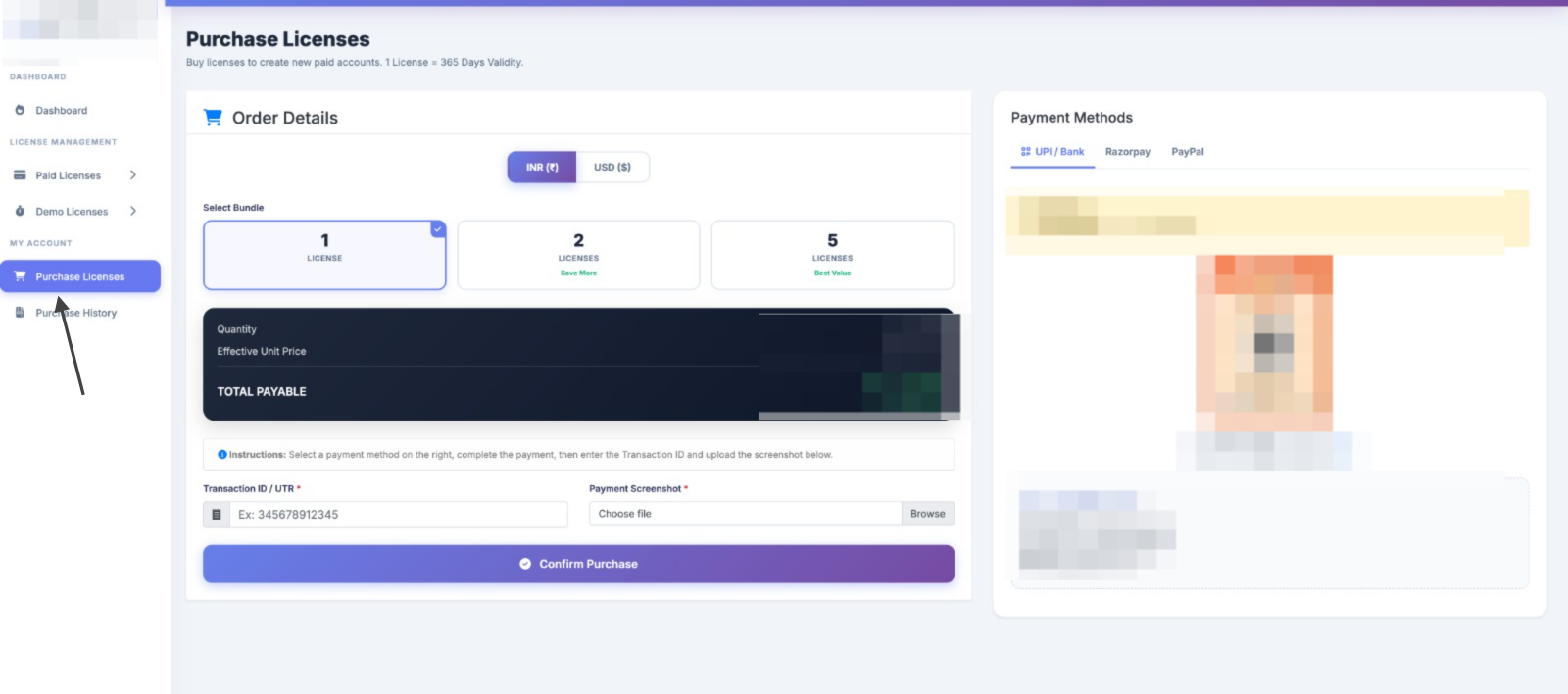
To Purchase "Paid License", go to Purchase License from sidebar
Select required Qty and Preferred Payment gateway (UPI, RazorPay, or Paypal)
Make Payment, Add UTR details and Upload Payment screenshot and submit request.
7
Manage & Convert Licenses
Converting and generating licenses
Once Approved, Automatically new Paid license limit will be assigned to your dashboard.
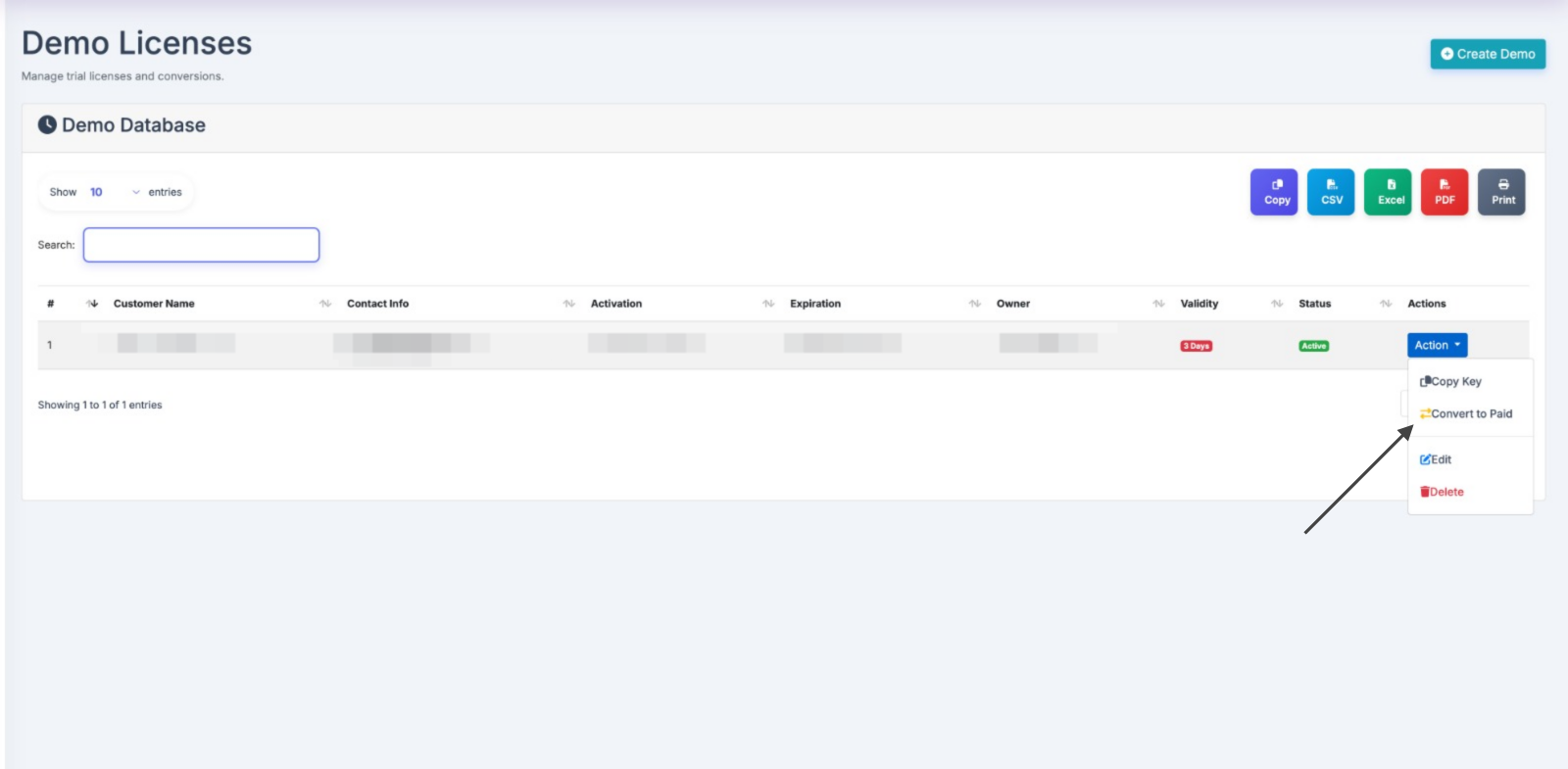
Or convert demo to paid: Go to Show demo License page, and click the convert to paid button.
8
Activate Your Extension
Login with your license credentials
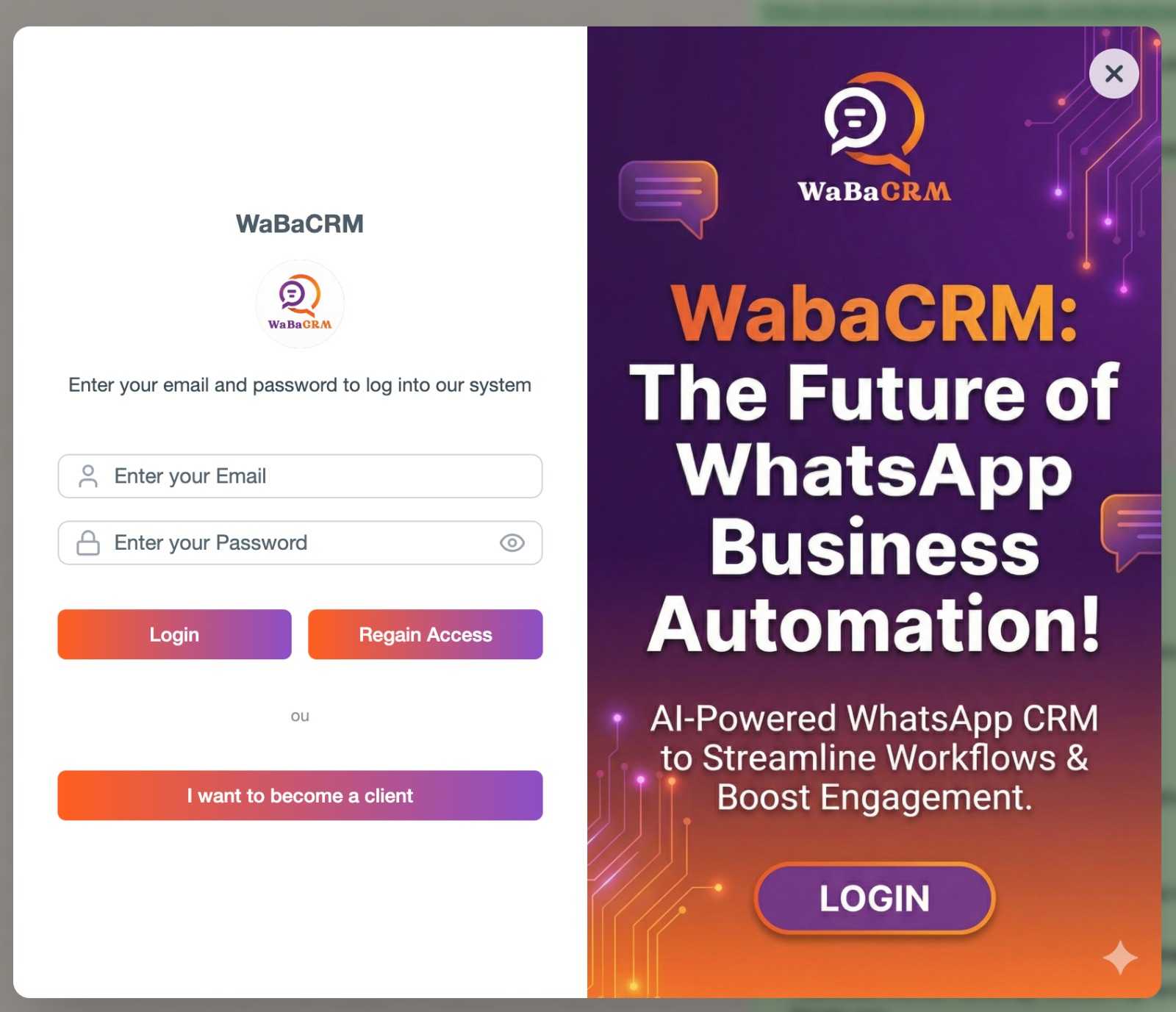
Enter your License email ID and password which you have created after Sigining Up. ( Note: Not your User Panel Login credentials)
Click "Login" to activate all premium features.
9
Start Automating
Configure and use all CRM features
You're all set! Start automating your WhatsApp business communication.