Step-by-Step Update Guide
Follow these 4 simple steps to update WaBaCRM safely
1
Open CRM & Check Current Version
Ensure your current WaBaCRM is working properly
Open https://web.whatsapp.com/
Make sure current version is loaded and working
Verify all your data and settings are intact
Tip: Keep WhatsApp Web open during the update process

Open https://web.whatsapp.com/
2
Take Current Backup
Create a backup of your current data and settings
Go to Settings in your existing WaBaCRM system
Click Create System Backup
Select All → Take a Full Backup
Download & store your backup safely 🛡️
Important: This backup contains all your messages, contacts, and settings
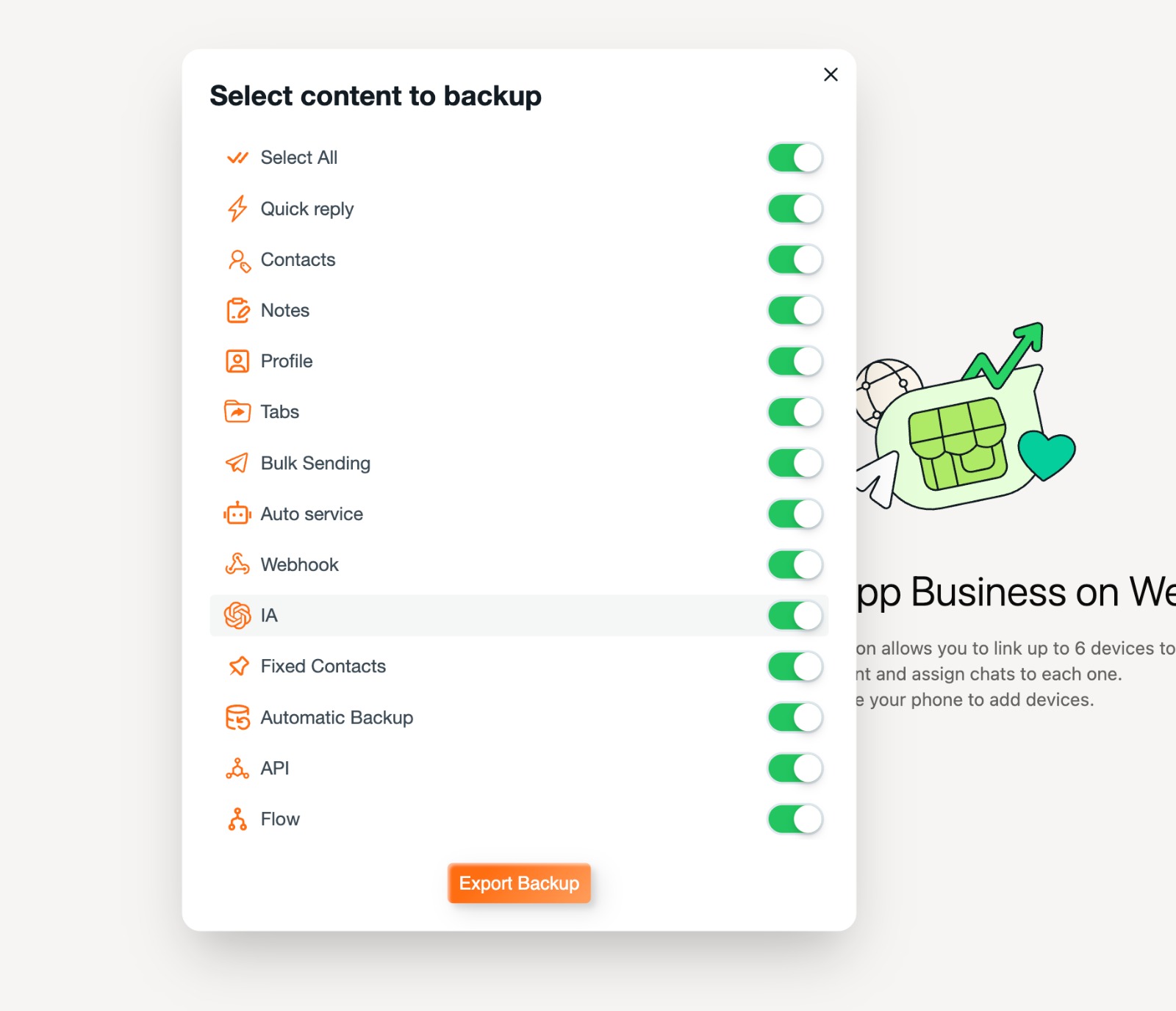
Click Create System Backup
3
Download Latest Version & Extract
Get the newest version of WaBaCRM
Go to our official website https://waba-crm.com/
Locate Download and test WaBaCRM Button
Download Latest version
Create a dedicated folder for WaBaCRM and Extract Downloaded File here
Tip: You can use the same folder or create a new one for the update

4
Load New CRM Version
Install the updated version in Chrome
Go to chrome://extensions/
Make sure Developer Mode is ON
Click on Load Unpacked
Locate Folder where Latest Version files are extracted
Click on Folder → Done
✅ Done! Enjoy the smooth new WaBaCRM experience! 🎊
Your data and settings will be automatically preserved
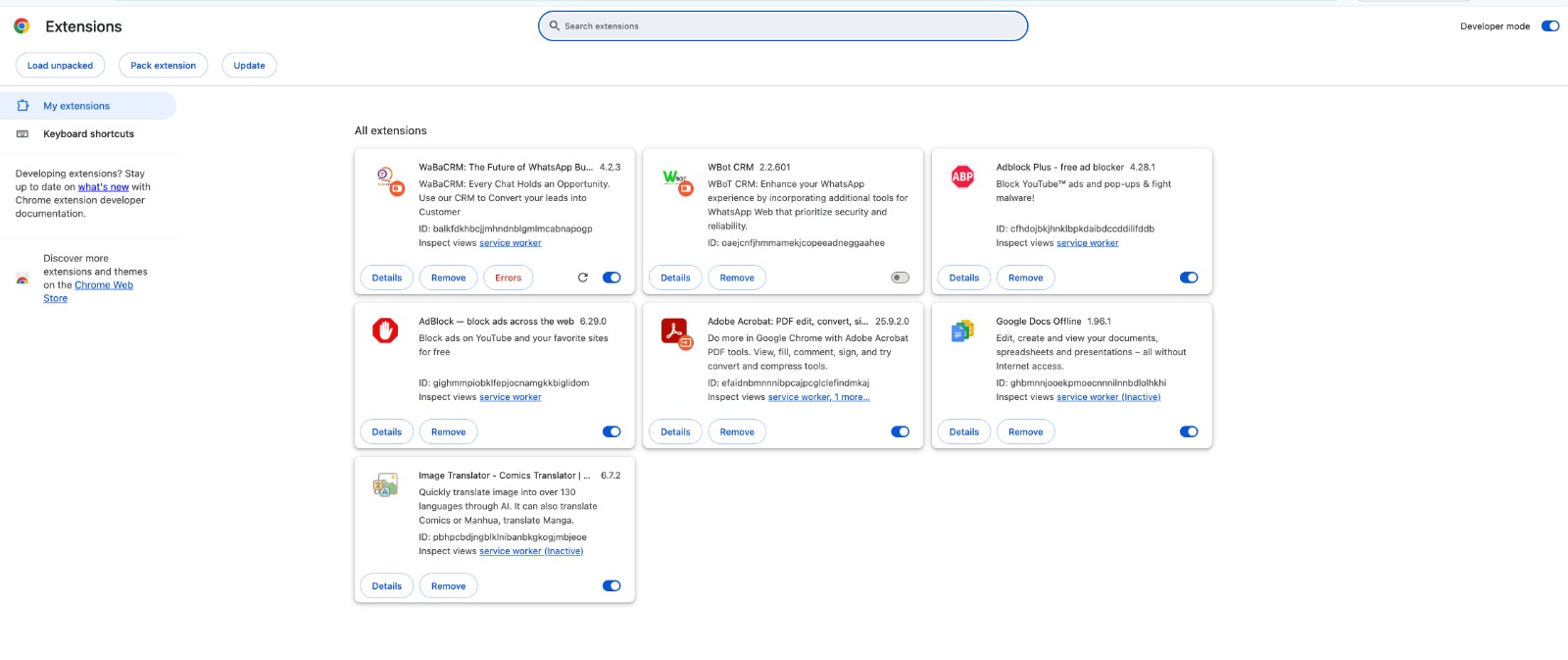
Click on Load Unpacked
